Data breaches at companies you've never directly dealt with can still expose your email and password — if you ever created an account somewhere that later got breached, your details may already be sitting in a leaked database being traded and tested against other sites right now.
Checking your email
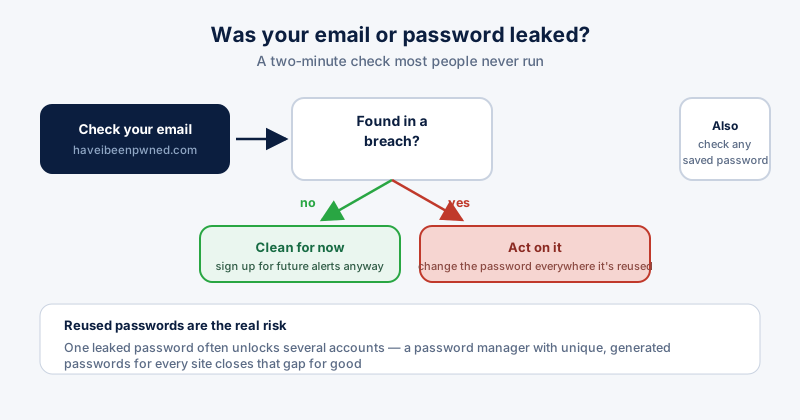
Have I Been Pwned (haveibeenpwned.com) is the standard, free, trusted tool for this. Type your email into the search bar and click "pwned?" — a green result means it hasn't shown up in a known breach; a red one lists exactly which breaches included it and what data was exposed in each.
Checking a password, safely
The same site's Pwned Passwords tool lets you check whether a specific password has appeared in a breach without ever sending the actual password anywhere — it uses a technique called k-anonymity, sending only a partial hash, so the full password never leaves your device in readable form.
If you find something
- Change the password on the breached account immediately.
- Change it everywhere else you reused it too — this is the step people skip, and it's the one that actually matters.
- Turn on two-factor authentication anywhere it's offered, especially email, banking, and anything tied to password recovery for other accounts.
- Sign up for ongoing breach notifications on the same site so a future leak reaches you immediately instead of months later.
Reused passwords are the real risk
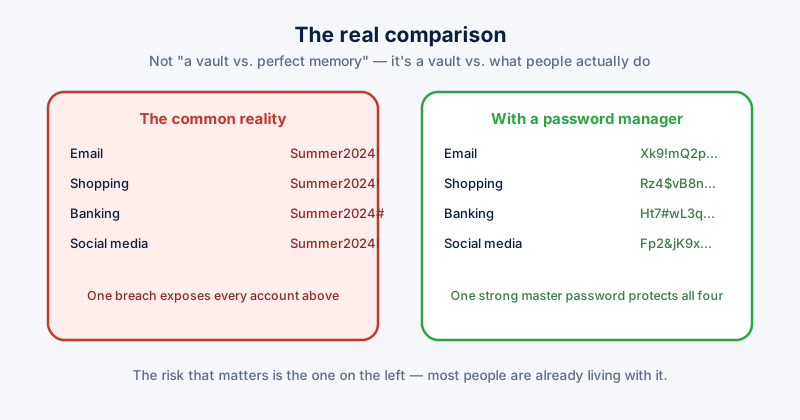
A single leaked password rarely stays contained to one site — attackers routinely test breached credentials against email providers, banks, and other popular services, betting correctly that a lot of people reuse passwords. A password manager that generates and stores a unique password per site removes this risk entirely instead of hoping you remember which passwords you've reused where.