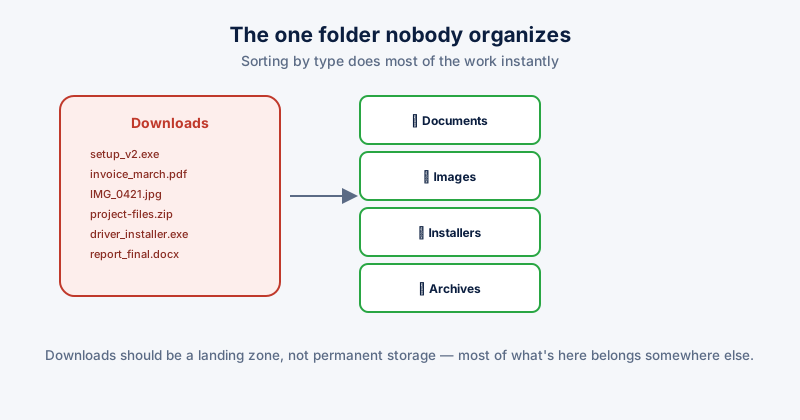
Downloads is the default save location for nearly everything that arrives from a browser, and almost the only folder on a typical PC that nobody manually organizes as they go — every other folder gets some structure over time, while Downloads just accumulates in the order things happened to arrive, going back years in some cases.
What actually ends up in there
- Software installers for programs already installed months ago, no longer needed unless you're planning to reinstall
- Documents and PDFs, often duplicated elsewhere once you've actually filed the important ones somewhere sensible
- Images saved from the web, screenshots, and photos that arrived as email or messaging attachments
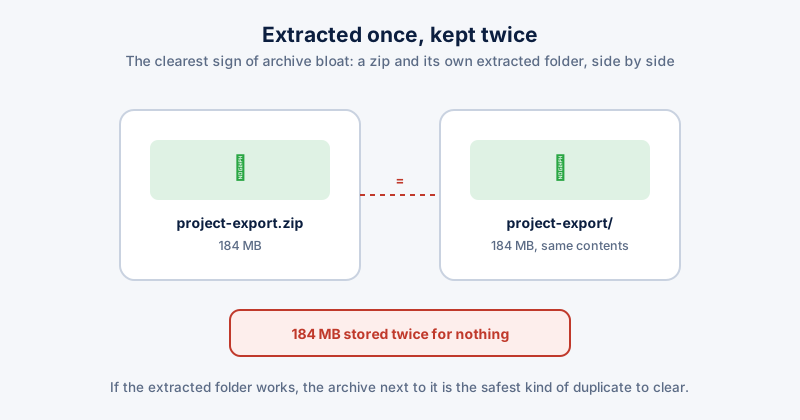
- Archives — old .zip/.rar files are a related pattern worth checking here too
A fast manual sort
- Open Downloads and switch File Explorer's view to Details, then click the Type column header to group by file type — this alone does most of the sorting work instantly
- Select all the installer files (.exe, .msi) at once — for anything already installed, these are safe to delete; for anything you might reinstall, move them to a dedicated Installers folder outside Downloads
- Move documents to Documents, images to Pictures — Downloads should be a temporary landing zone, not permanent storage for either
- Sort by Date modified, oldest first, and treat anything more than a year old with real skepticism — if it were still needed, it likely would have been moved or opened by now
Before deleting installer files in bulk, a quick scan for anything portable or unique — a driver package for hardware you still use, a license file, an installer for software no longer available from its original source — is worth the extra minute. Not everything in an installers folder is safely redundant with "I can just download it again."
Keeping it from happening again
- Get in the habit of moving a file out of Downloads the same day you actually use it, rather than leaving it to accumulate
- Set your browser to ask where to save each file, rather than silently defaulting to Downloads for everything — this adds one extra click but makes the destination a deliberate choice instead of a default
- Do a Type-sort pass (as above) every month or two rather than only when the folder becomes unusable
ETA System Doctor's Downloads Auto-Sort runs the same Documents/Images/Installers/Archives split described above in one click, and its Downloads Cleaner reviews the whole folder with a 7-day undo safety net, so sorting it out doesn't require the same manual, file-by-file review every time.